Garmin
Your Garmin Connect health data on the wall: daily summary, Body Battery, sleep, recent activities, latest activity, and weekly training. Sign-in is handled by the app, so there are no API keys to set up.

About
Shows your Garmin Connect health data on a Home Screens display: daily steps, Body Battery, sleep, and recent activities.
Requires Home Screens 1.8.0 or newer (the release that added demand-driven plugin state providers). You sign in with your Garmin account once in the editor; the display never sees your password.
Views
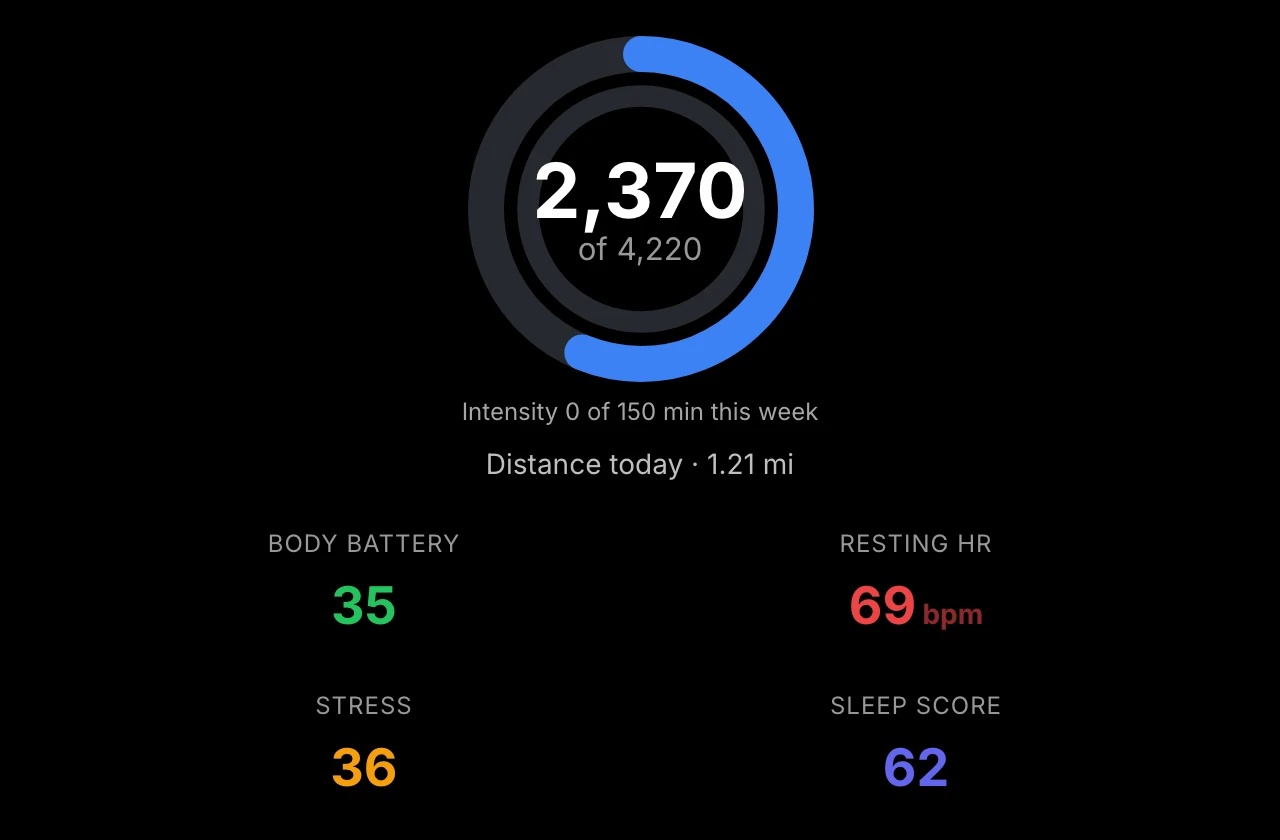
- Daily summary — steps progress ring with this week's intensity minutes against your weekly goal, plus Body Battery, resting heart rate, stress, and sleep score tiles
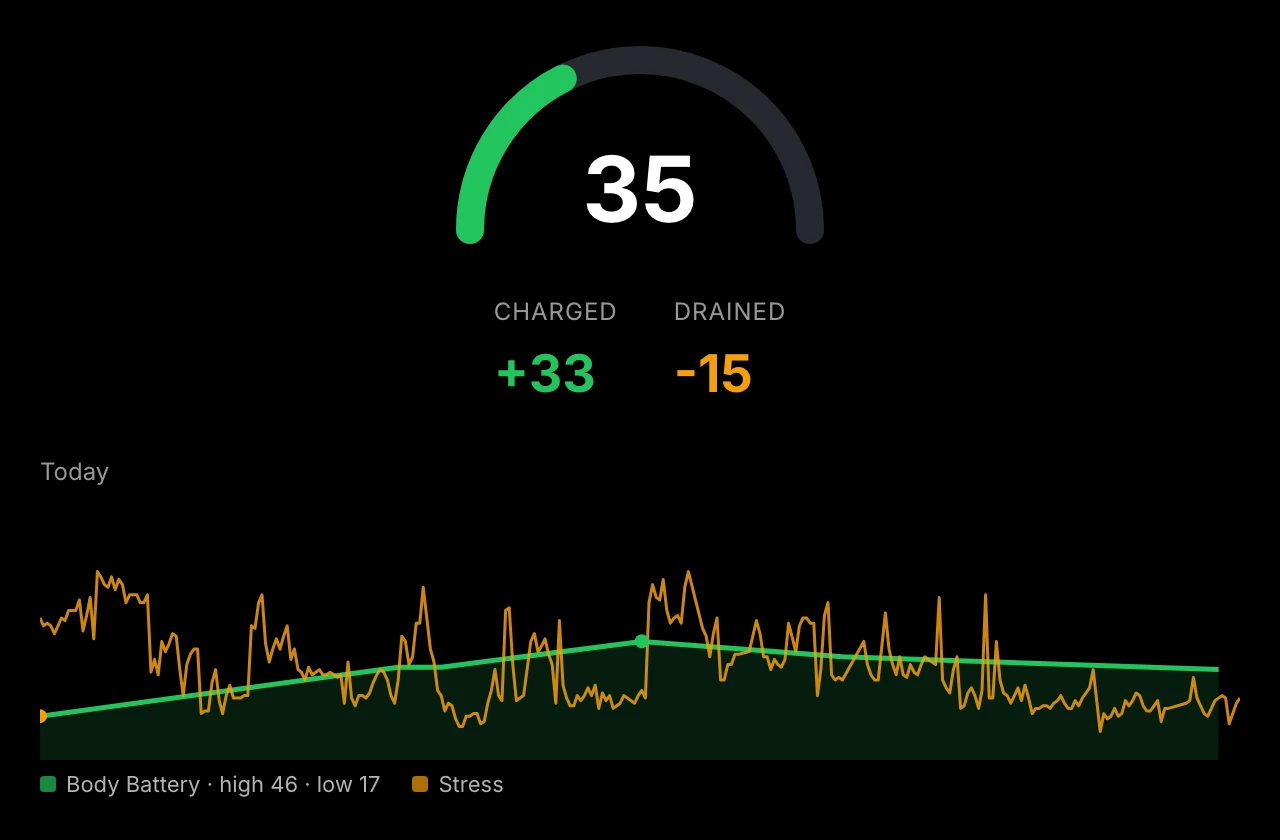
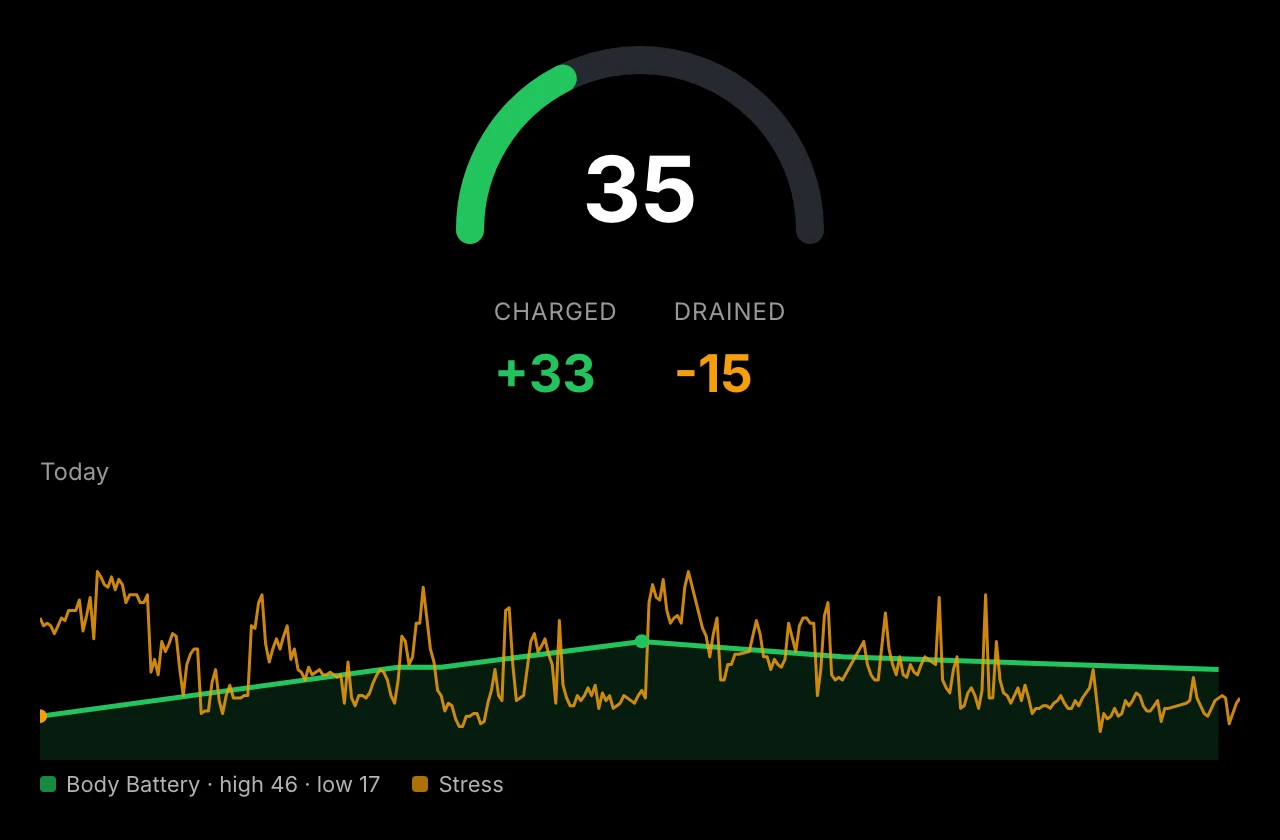
- Body Battery — current level gauge, charged/drained totals, and today's trend with stress overlay
- Stress — today's average stress level with time spent at each level (rest/low/medium/high) and the day's curve
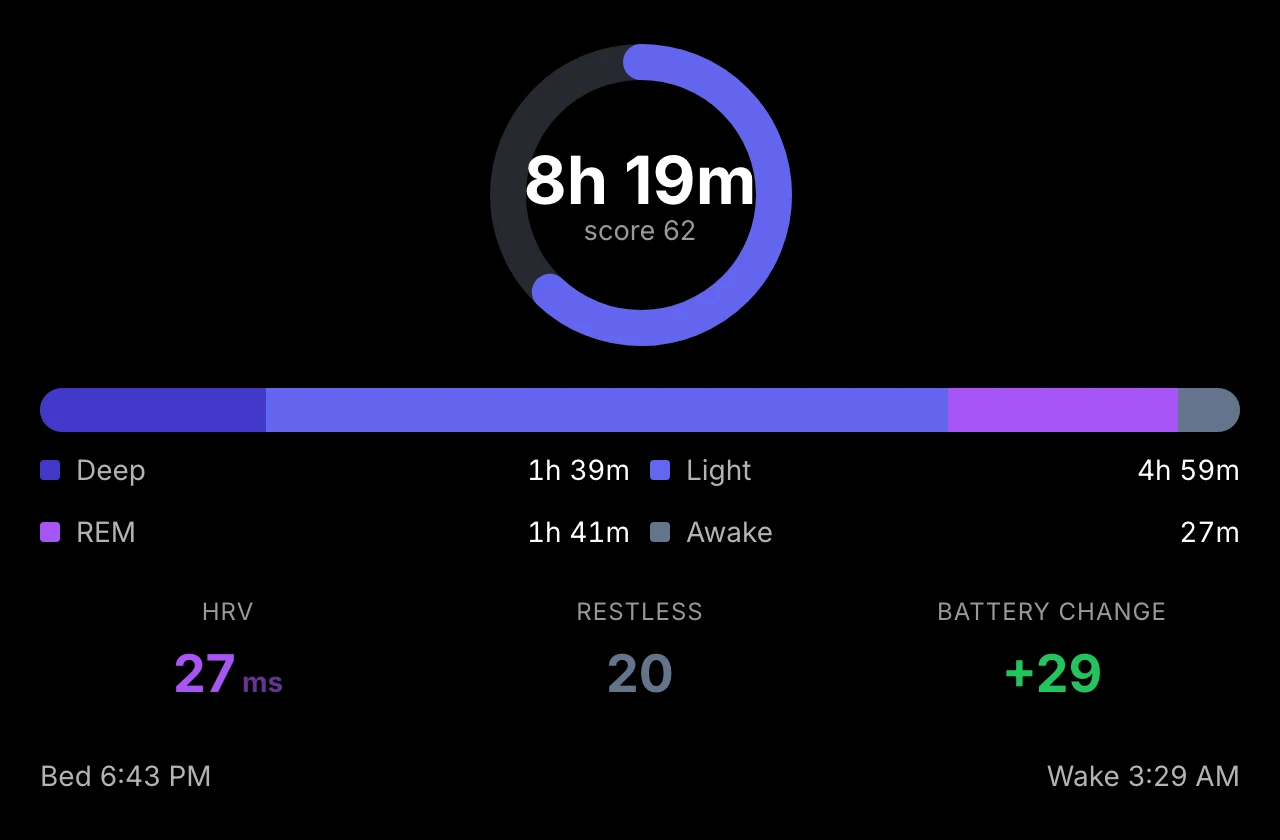
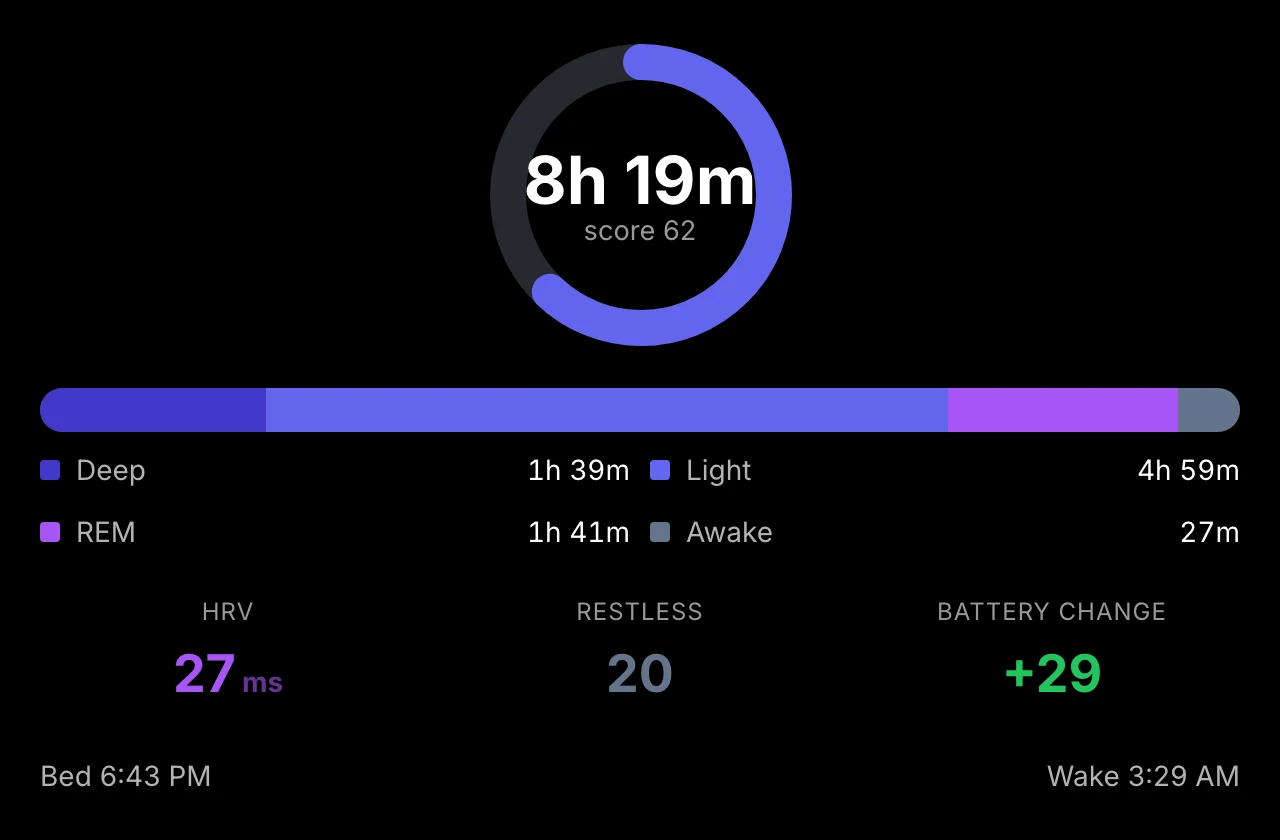
- Sleep — total duration, sleep-stage bar (deep/light/REM/awake), HRV and restlessness, bed/wake times, and (on watches that report them) overnight SpO2, breathing rate, and sleep need
- Activities — recent workouts with sport icons, distance, pace or speed, and heart rate
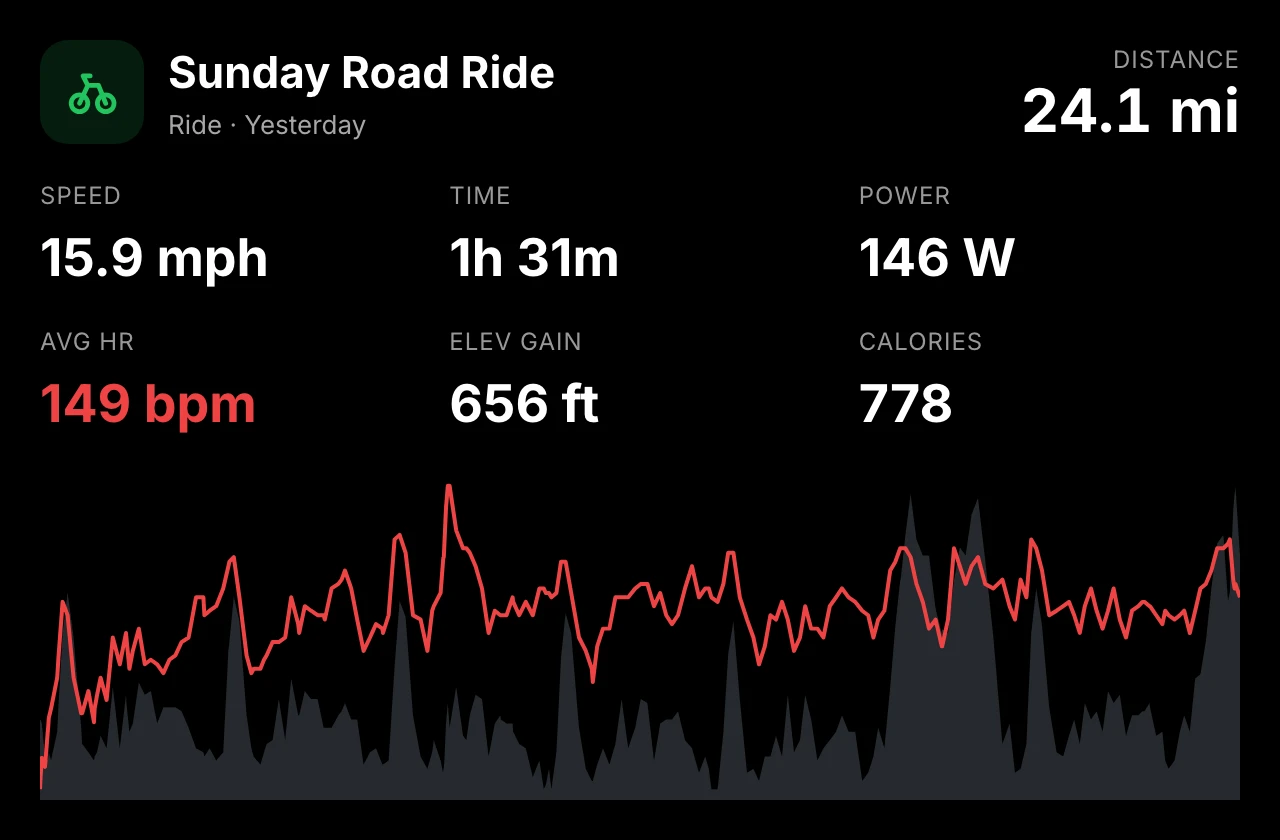
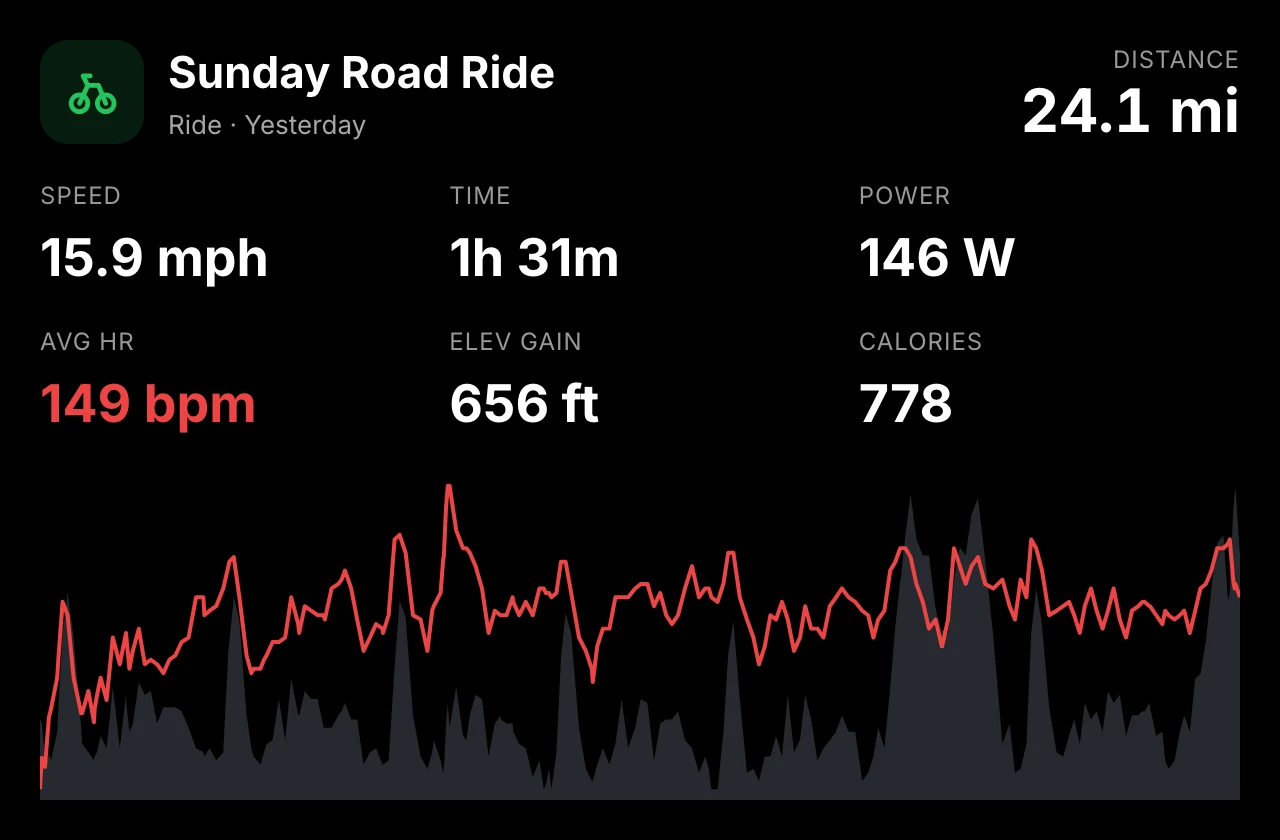
- Latest activity — your newest workout in detail: sport-specific stats, heart-rate and elevation chart, HR zones, and splits
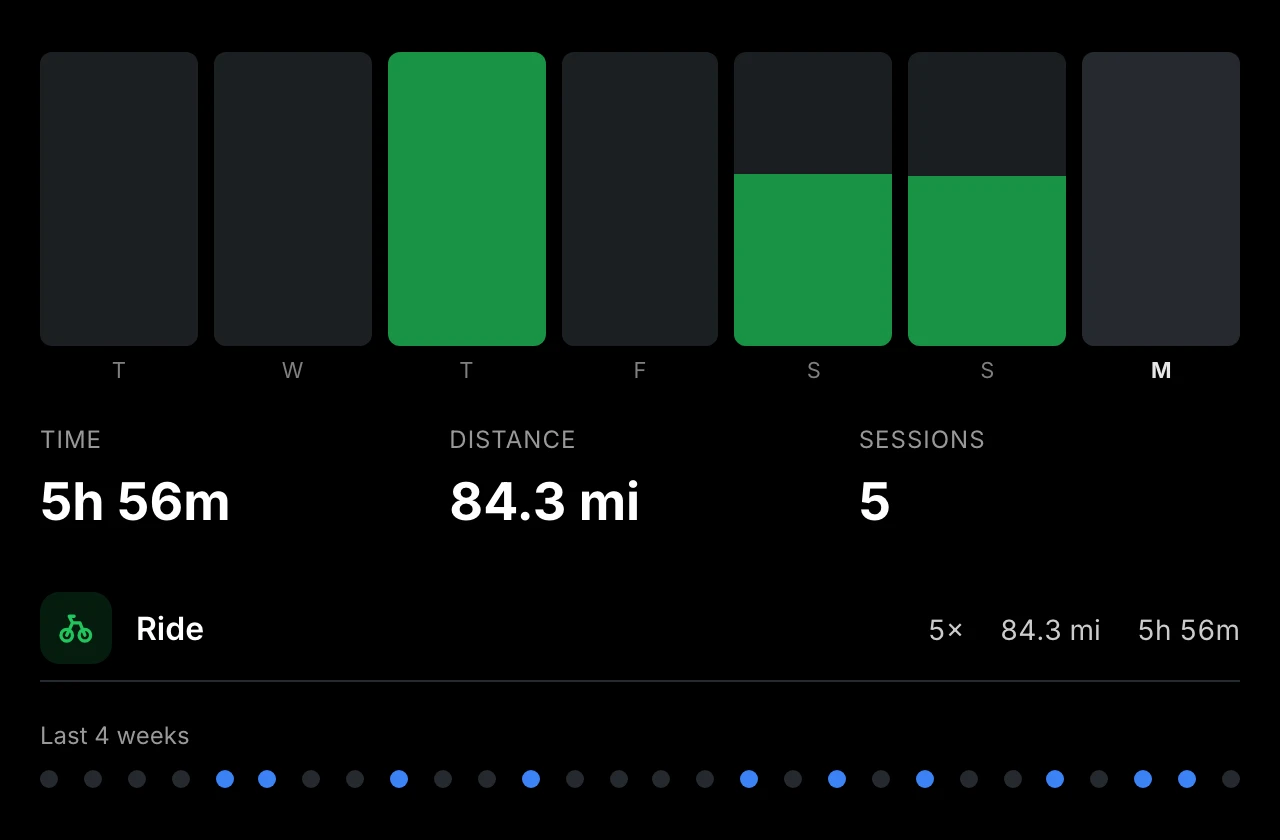
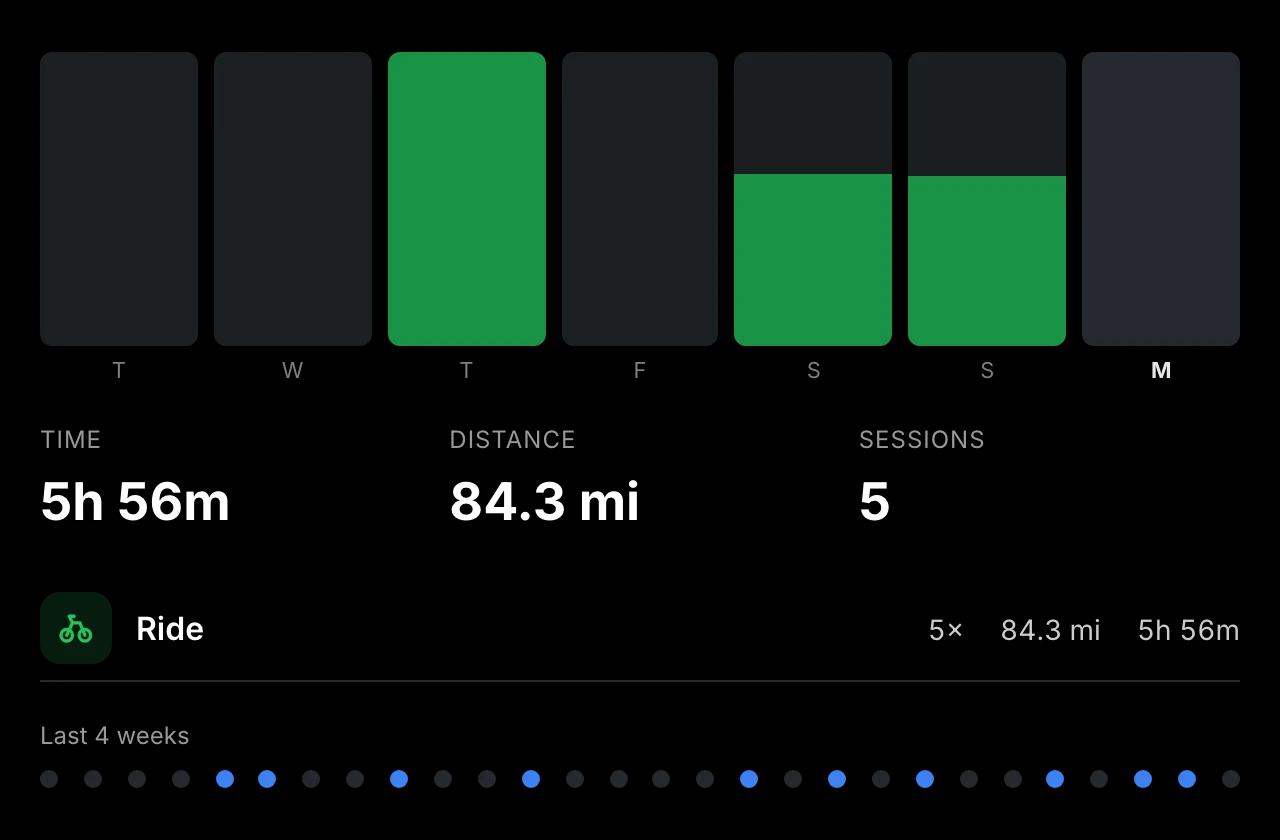
- Weekly training — this week's per-day activity chart plus totals by sport, using your Garmin first-day-of-week setting so the numbers match the Connect app (or switch it to a rolling last-7-days window)
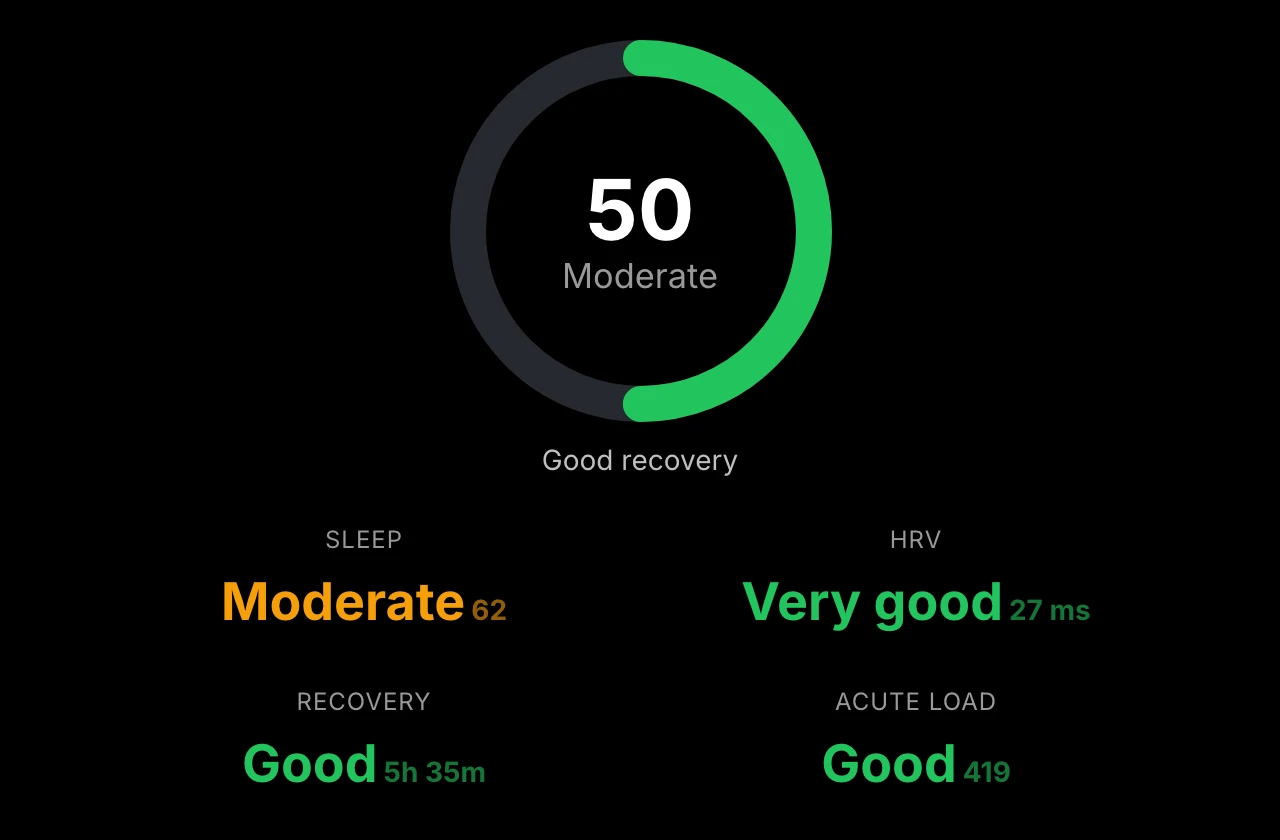
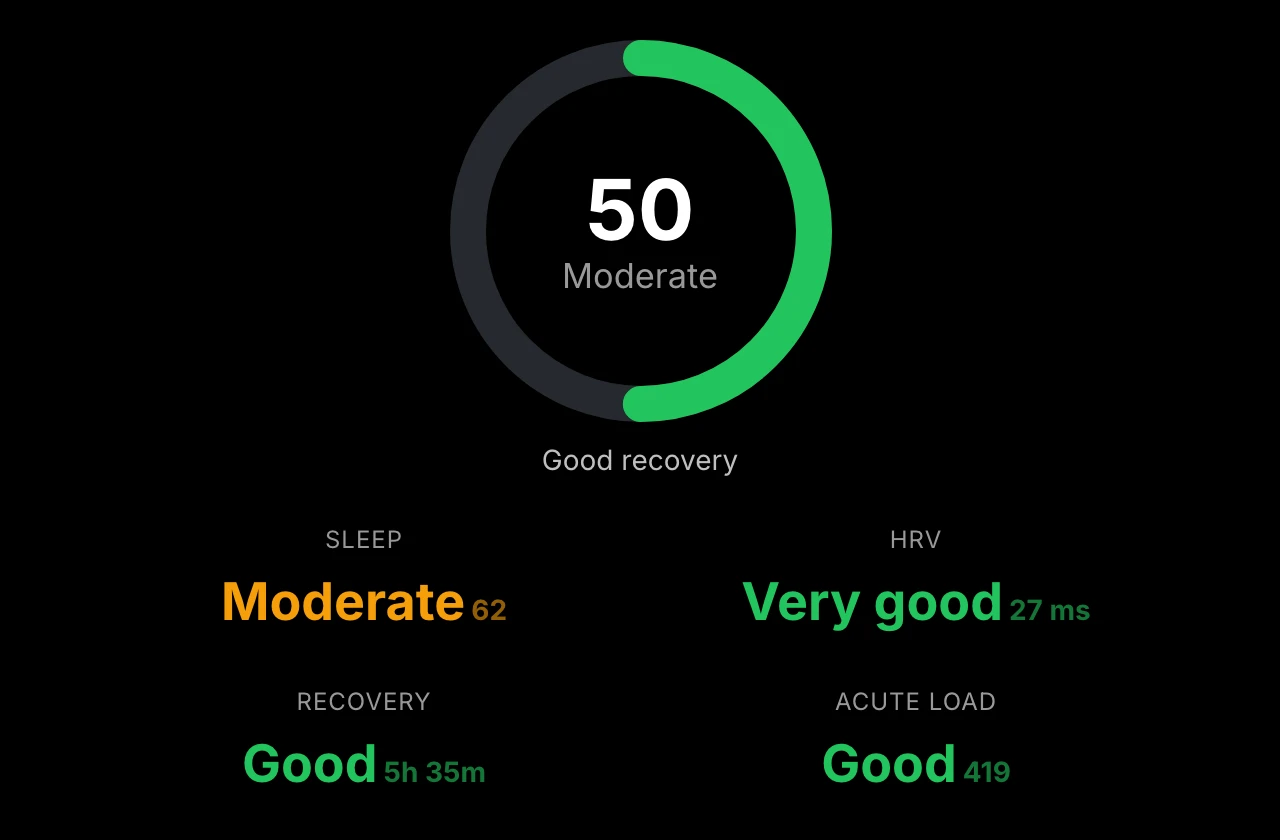
- Training readiness — today's readiness score with the factors behind it: sleep, HRV, recovery, and training load
- Training status — whether your training is paying off (Productive, Maintaining, ...), plus load focus, HRV status, VO2 max, and your 7-day load against the optimal range
- HRV status — last night's heart rate variability against your balanced range, with a 4-week trend
- Heart rate — resting heart rate, 7-day average, and today's heart-rate line
- Race predictions — your watch's predicted 5K, 10K, half-marathon, and marathon times with their paces
- Personal records — your best efforts, grouped by sport: fastest runs, longest run/ride/swim, and step records
- Weight — your latest weigh-in with the change since last time, BMI, and a 4-week trend (only appears if you weigh in with a Garmin scale or log it in the Connect app); you add this view yourself, and weight is never shared with other modules
The training and HRV views need a watch that records those metrics (most newer Garmin watches do); the module explains when yours doesn't.
Views adapt to the module's size — a small card shows the essentials; a large module adds charts, splits, and extra stats. The Latest activity and Activities views can be pinned to one sport in the module settings.
Screenshots
| Body Battery | Sleep |
|---|---|
 |  |
 |  |
 |
Shared state
The plugin publishes plugin:garmin:body_battery, plugin:garmin:sleep_score, and plugin:garmin:steps, so other modules can show or hide themselves based on your health data (for example, a wind-down reminder when Body Battery runs low). A key starts publishing as soon as any condition or rule references it — you don't need to add a Garmin module to the screen, and it keeps publishing even while your Garmin module is rotated off-screen.
Development
npm install
npm run dev     # builds and serves the bundle at http://localhost:5173
npm test        # unit tests
npm run build   # production bundle in dist/
In the Home Screens editor, open Plugin Store → Developer and load http://localhost:5173.
Release packaging
npm run build
mkdir -p /tmp/garmin-pkg/garmin/dist
cp manifest.json /tmp/garmin-pkg/garmin/
cp dist/bundle.js dist/bundle.js.map /tmp/garmin-pkg/garmin/dist/
tar -czf plugin.tar.gz -C /tmp/garmin-pkg garmin
shasum -a 256 plugin.tar.gz